IT & AIInfrastructure & networking
Level, NinjaOne, Atera or ManageLM: how to manage an IT park?
· Michel Aguilera
Read: 11 min · For the curious, no headaches
Managing an IT fleet is a bit like running a fleet of cars: you have to know which ones are running, which ones need an overhaul, and be able to intervene without necessarily having to travel. For a long time, this meant connecting machine by machine, or installing a server “at home” to control everything. Today, many teams use a cloud RMM — an online dashboard that talks to your PCs and servers via a small agent.
I looked at three well-known cloud RMMs — Level, NinjaOne , and Atera — and compared them to a more local/sovereign approach with ManageLM. My angle: what are the differences in approach, and especially which one is best for a small structure. Personal blog tone, public sources, zero invented marketing talk.
What is an RMM? (in two minutes)
RMM stands for Remote Monitoring and Management . In practice, you install an agent (a small program) on each machine. This agent reports the status of the PC or server to a console: disk full, missing update, service crashed, antivirus disabled, etc.
From this console, you can also take control remotely, run scripts, schedule patches, and automate repetitive tasks. The idea: spend less time “going around the machines”, and more time fixing what really matters.
The first three tools in this article are cloud RMMs designed mainly for corporate workstations and servers (Windows, macOS, Linux). ManageLM, on the other hand, plays a different role — more on that below.
Level: the “lean” RMM, transparent pricing
Level (level.io) is a browser-based RMM, with no server to install at your home. The agent goes to the cloud; no need to open incoming ports or VPNs for everyday use. Windows, macOS, Linux.
Level: a cloud-based RMM console to monitor, automate, and take control (source: level.io).
What I remember, according to their website and their doc:
- monitoring and alerts, inventory, patch management (OS and third parties);
- remote control in the browser, scripting, automations (triggers, tags, groups);
- “Background” management without necessarily disturbing the user;
- SSO, MFA, roles, activity log;
- integrations to PSA / tickets / docs (Halo, ConnectWise, Hudu…), but no integrated PSA — Level assumes to remain an RMM, not an “all-in-one” suite.
License and costs (official Level pricing, October 2026): the first 10 devices are free, all functions included. Beyond that, $2 per device per month, month by month, with no annual commitment. Billing based on the peak of the month’s devices. No “per technician” rate: you add team accounts without buying a new seat. Pricing volume above ~2,000 devices, on contact. 10% discount for associations / education.
What I like. The pricing simplicity (well, some numbers on the page), the real free tier to test, the modern interface, the focus on RMM without a gas plant.
Which slows me down a bit. No integrated ticketing / invoicing: you have to plug in another tool if you sell support. Less “full MSP suite” than NinjaOne or Atera.
An official intro that I find telling (Welcome to Level – Getting Started Guide):
NinjaOne: The MSP Platform “Everything Under One Roof”
NinjaOne is one of the names that comes up the most when we talk about RMM on the MSP and internal IT side. Cloud-native, with no on-prem infrastructure to maintain. Their promise: to replace several tools (RMM, remote access, patch, sometimes backup, ticketing, doc, MDM, etc.) with a single console.
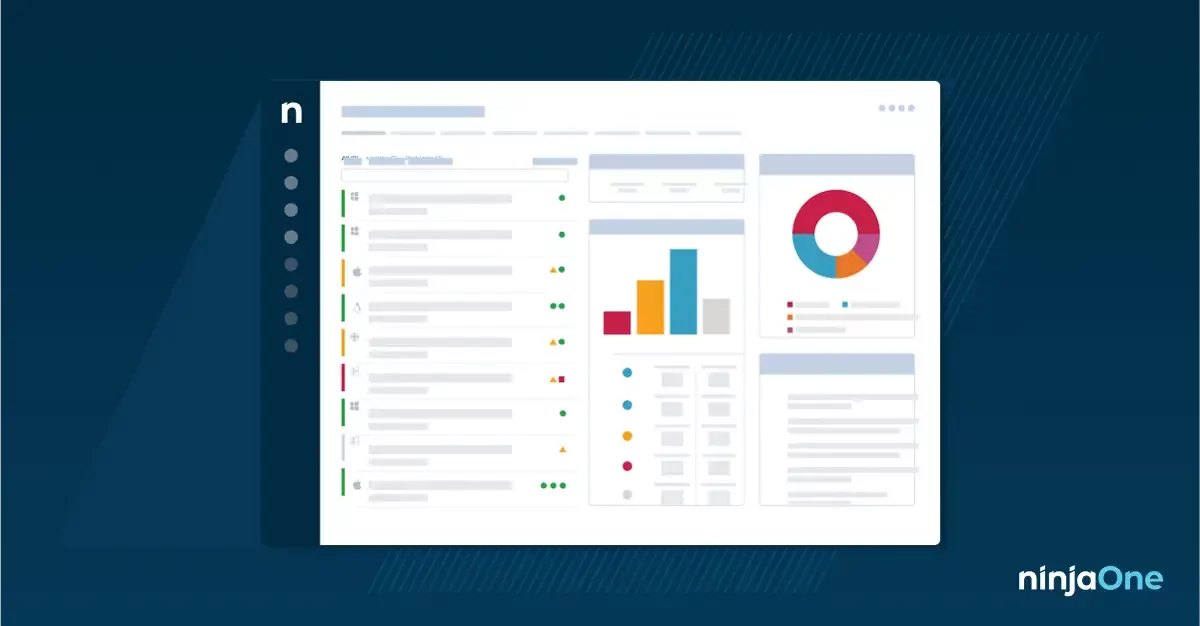
NinjaOne RMM: Monitoring, patching, remote and automation in a unified platform (source: ninjaone.com).
According to their product site:
- real-time monitoring, alerts, self-remediation;
- OS patch (Windows / macOS / Linux) and third-party applications (they announce more than 200 apps);
- multiple remote access options, automations, mobile app;
- native documentation, self-service portal, warranty tracking;
- PSA integrations (ConnectWise, Autotask, etc.).
License and costs. NinjaOne charges per managed device, not per technician. On their MSP page, they indicate an indicative public range: around $3.75/device/month for ≤ 50 endpoints, going down to around $1.50 to 10,000 endpoints (region, modules, and commitments may vary). The full detail often goes through a quote. Third-party sources (to be taken with hindsight) sometimes mention a floor around 50 devices for new accounts — I don’t have an official confirmation set in stone on the site, so check directly with them. Free trial, onboarding, and support presented as included.
What I like. The scale of the platform, the maturity of the MSP, the “one tool” when you grow.
Which slows me down a bit. Less price transparency than Level; modules (backup, MDM, doc…) can be added; for a very small fleet, the entry ticket can seem heavy compared to $2/device with no minimum displayed at Level.
A short presentation (What is NinjaOne?):
Atera: Pay the technician, not every PC
Atera plays a different card — and frankly interesting for a small company. Instead of charging for each device, they charge per technician, with unlimited devices (and unlimited customers, in their MSP speech). RMM + helpdesk / ticketing + patch + automations, all sprinkled with AI (AI Copilot included in the plans; Robin as an optional standalone agent / associated product).
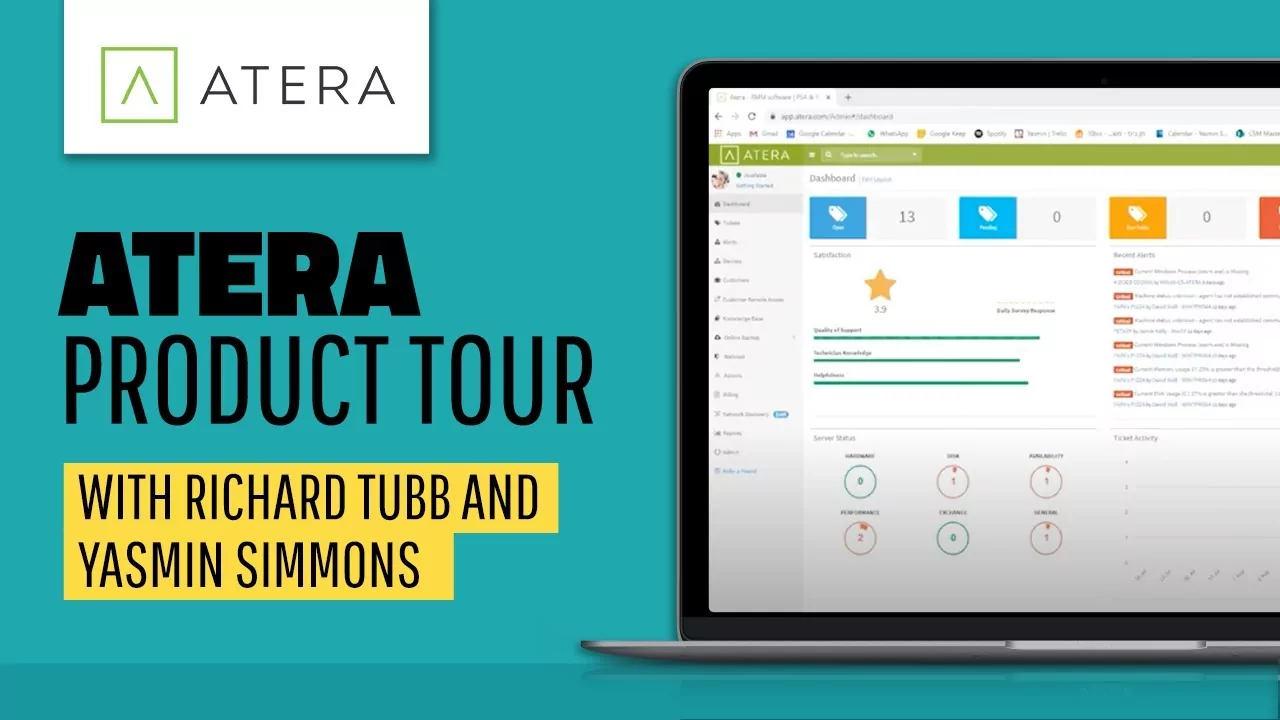
Atera: RMM, PSA and Remote Access Product Demo (visual from the official Atera Demo and Product Tour video).
What I see on the product side:
- agent on Windows, macOS, Linux ; monitoring, alerts, scripts ;
- patch management and software deployment;
- remote access via integrated partners (Splashtop, AnyDesk, etc. depending on the plans);
- ticketing / user portal in the same suite;
- add-ons: Network Discovery, Work from Home, marketplace.
License and costs (JSON schema / offers published on atera.com/msp-pricing, October 2026 — amounts in USD / tech / month):
- Pro : $129 (yearly) / $139 (monthly);
- Growth : $159 (annual) / $189 (monthly);
- Power : $209 (yearly) / $249 (monthly);
- Enterprise / Superpower : on quote.
30-day trial announced without credit card. Each person who opens the console = a technician license. Add-ons extra.
What I like. The “grow in devices without blowing the bill” model; the all-in-one (tickets + RMM) practical when there are 1 or 2 of you in IT.
Which slows me down a bit. As soon as the technical team grows, the cost per seat goes up quickly; some add-ons and marketplace tools are in addition; AI is very much in the spotlight — to be tested at home to see if it fits your way of working.
The official product demo:
ManageLM: fleet management… but not the same business
Here, I’m changing registers — and I prefer to say it clearly. ManageLM (RCDevs, Luxembourg) is not a classic RMM “fleet of desktop PCs + patch Windows + TeamViewer-type handling”. It is an AI-assisted server management platform: deep inventory, service monitoring, security audits, PKI, encrypted backups, credential rotation… and an interface where you can speak in natural language to the infrastructure (agents + local LLM possible).
Two deployment modes: SaaS cloud (app.managelm.com) or self-hosted (Docker / package) — this is where it comes to the idea of local/sovereign fleet management.
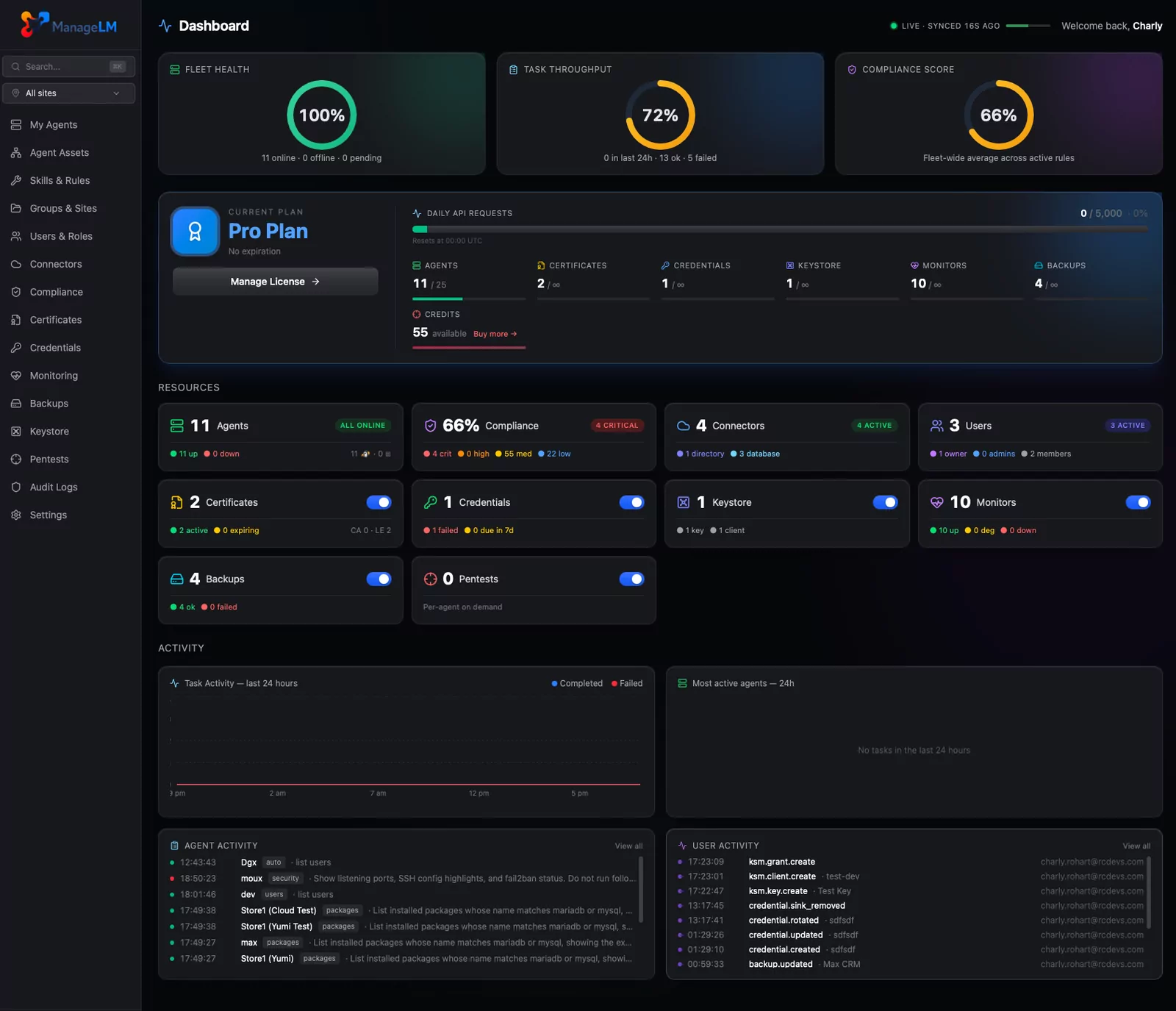
ManageLM: AI-assisted server fleet management console (source: managelm.com).
Points that struck me on their website and their doc:
- Linux/ Windowsagents, outgoing connection (no port 22 open for control);
- 33 skills, command allowlist, kernel sandbox (Landlock/seccomp) — AI is treated as untrustworthy by default;
- rich inventory (services, packages, containers, databases, ports, etc.);
- audits, compliance frameworks, integrated pentests (depending on offers);
- Local LLM (Ollama…) to keep the data at home, or cloud LLM; “No LLM” mode possible.
License and Costs (lic.managelm.com):
- Free : $0, up to 10 agents/servers, all features listed — and self-hosted edition included in the offer;
- Pro : €99 / month, 25 servers;
- Business : €199 / month, 50 servers;
- Enterprise : on quote.
On self-hosted, the SaaS caps on monitors / backups / certificates do not apply in the same way (unlimited on the hardware side, according to their Docker doc).
What I like. The sovereignty (self-host + local LLM), the free 10 servers, the “AI limited by code” security approach, the focus on servers / infrastructure.
Which slows me down a bit (in this comparison). It’s not the direct replacement of a Level / NinjaOne / Atera for a fleet of user laptops: office patching, multi-client MSP RMM, PSA ticketing… it’s not the same product. To be compared especially if your “park” = servers and you want assisted / agentic admin.
The official guided tour (ManageLM Full Platform Tour & Installation):
Cloud RMM vs. Local Management: What’s Really Changing
Before deciding between the three RMMs, a word about the clash of approaches — because that’s often the real question for a small structure.
| Cloud RMM (Level, NinjaOne, Atera) | Local/sovereign management (e.g. ManageLM self-hosted) | |
|---|---|---|
| Where does the console live? | At the publisher (SaaS) | At your place (Docker / server) |
| Getting Started | Account + agents, often on the same day | Install/maintain the platform |
| Product Updates | Automatic on the publisher’s side | At your expense (but you control) |
| Data / Privacy | With a third party (contracts, regions, certifications) | Stay within your perimeter |
| Typical park | Workstations + servers, user support | Servers / infrastructure (ManageLM) |
| Frequent hidden cost | Subscription that follows the fleet (or seats) | Admin time + hosting machine |
In one sentence: cloud RMM is “I delegate the console, I save time”. Local is “I keep the console, I take care of the operation”. Neither is “better” in absolute terms — it depends on your appetite for hosting and your constraints (GDPR, customers, air-gap, time budget).
ManageLM has the elegance to offer both : SaaS to start, self-host when sovereignty becomes non-negotiable.
The match at a glance
| Level | NinjaOne | Atera | ManageLM | |
|---|---|---|---|---|
| In one sentence | Lean cloud RMM, clear price | Unified MSP Platform | IT Suite + tickets, price / tech | Admin servers + AI, cloud or local |
| Accommodation | SaaS | SaaS | SaaS | SaaS or self-hosted |
| Pricing model | Per device ($2/month) | By device (quote / range) | Per technician (unlimited devices) | Per number of servers / agents (€) |
| Free / trial | 10 free devices | Free Trial | 30-day trial | 10 free agents |
| Ticketing / PSA | Via integrations | Native + integrations | Native (helpdesk) | Not a classic PSA |
| Strong target | Small fleets, pure RMM | MSP / IT that is growing | Small tech teams, lots of endpoints | Server fleets, sovereignty, AI |
Small structures: my first reflex
I put myself in the shoes of an SME, an IT freelancer, a very small MSP — let’s say less than 100 devices, one or two people who “do IT”.
- Level, if I want a real RMM without embarking on a suite, with a rate that I can calculate on the corner of a table (10 free, then $2). It’s often my first candidate for a small fleet of positions.
- Atera, if I’m alone or with two people and I have a lot of machines (or a lot of customers): the price / technician quickly becomes profitable, and I have tickets + RMM in the same box.
- NinjaOne, when I feel that I am going to industrialize (MSP process, modules, volume) and that I prefer a mature platform even if the quote requires a phone call.
- ManageLM, if my subject is not the laptop park, but a small fleet of servers — and especially if I want to be able to self-host and talk to my infra (with safeguards). The 10 free agents are perfect for a lab or a micro-prod.
What if I have to mix the two worlds? It’s not forbidden: a cloud RMM for user workstations, ManageLM (or a local equivalent) for sensitive servers. Tools don’t necessarily step on each other’s toes.
Thinking before choosing
Before taking out the bank card, I always ask myself the same question: what should the person who is going to administer be able to do, concretely, in an ordinary week? Not “which tool has the most logos on the home page” — rather: what tasks, on what type of machines, with what constraint of trust.
A few ideas that I use to frame the choice:
- Monitoring & alerts : do I want to be warned (full disk, service down), or also automatically remediate?
- Patching : OS only, or also third-party apps? On user PCs (Windows / Mac) or especially Linux servers ?
- Remote access : one-time use to troubleshoot a colleague, or server admin console (shell, scripts, without disturbing a user)?
- Tickets / helpdesk : I already have a tool, or do I need the RMM to include ticketing (Atera / NinjaOne on the suite side)?
- PC fleet vs servers : a cloud RMM such as Level / NinjaOne / Atera shines on the workstation park; ManageLM is positioned more on the server infrastructure (deep inventory, security, restricted AI). Mixing the two is not taboo.
- Cloud vs. local / sovereignty : do I tolerate a SaaS console (simplicity, publisher updates), or should the data and management stay with me (ManageLM self-host, local LLM)?
- Who pays what : few machines → a clear price per device (Level) can be enough; many machines and little tech→ a price per technician (Atera) deserves the calculation; MSP / module growth → a NinjaOne quote to compare without relying only on the marketing slide.
- Full size : “small structure” means 15 PCs in a firm… or 800 endpoints in a mini-MSP. The same tool does not sound the same in both cases.
In summary: I first choose my scope of tasks and my level of requirement (sovereignty, tickets, type of fleet), then the tool. The prices mentioned above are a snapshot of October 2026 — the official pages are authentic, and a quote remains useful as soon as the volume or modules come into play.
In conclusion
Three cloud RMMs, three philosophies. Level focuses on clarity and concentrated RMM. NinjaOne on the complete platform that grows with you. Atera on the technician package and the RMM + tickets duo. And ManageLM reminds us that you can also manage a fleet in a different way : closer to the servers, with limited AI, and the possibility of keeping everything at home.
For a small structure that mainly manages workstations, I would often start with Level (or Atera if I need the helpdesk and a lot of endpoints for little tech). For a small structure that mainly manages servers and values sovereignty, I would open a ManageLM free account — or even the self-host — before buying an MSP suite.
The best judge is your lab: ten agents here, a test there, and an afternoon testing the handling. Have fun (a little) — that’s also why we do IT.
References
Level
NinjaOne
- Official Website / RMM
- MSP Rates (Ranges)
- Prices
- Video: What is NinjaOne?
- Video: What is RMM software?
Atera
- Official website
- RMM Product
- MSP Pricing
- Pricing model (support)
- Video: Atera Demo and Product Tour
- Video: Atera’s RMM Training Webinar
ManageLM