IT & AIRemote work & collaboration
Jitsi, or how to become your own video conferencing provider
· Michel Aguilera
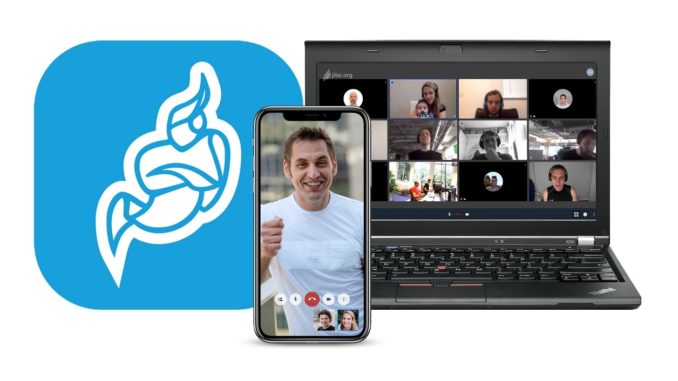
The title may sound promising, even borderline clickbait, yet that is exactly the promise of this open source solution. In this article, we will see what Jitsi-based solutions exist and what Jitsi offers, as well as how it can be set up. I would like to point out that installing a server requires advanced technical knowledge of Linux and is not necessarily within everyone’s reach. That being said, let us begin our pilgrimage into the magical world of Jitsi.
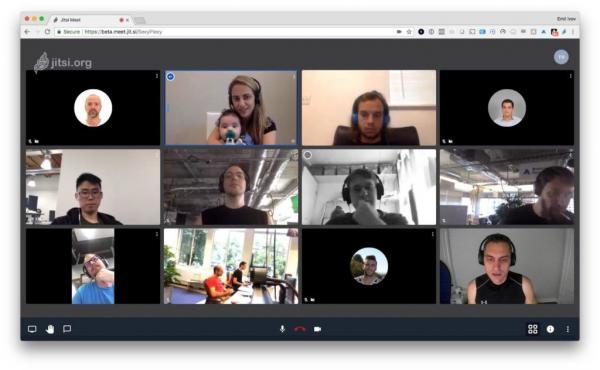
Hello?….We can see and talk to each other!
Let us start by explaining the main purpose of Jitsi. It is a video conferencing platform (we covered the subject previously in an article) that can be used across multiple systems (Windows, Mac, Linux, Android and iOS). For iOS users, it should be pointed out that the Jitsi Meet app will be needed (as Apple does not natively support the WebRTC protocol in iOS).
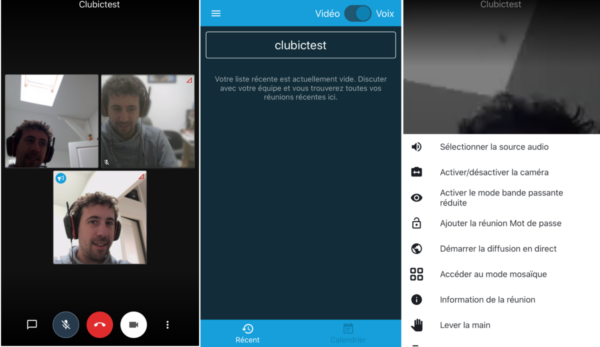
To use Jitsi, a simple web browser is enough, as long as it supports WebRTC. Inviting new guests could not be simpler, since all you need to do is share a URL and chat on a PC directly in the web browser. Supported browsers: Firefox, Google Chrome, Opera and Microsoft Edge (latest version).
Setting up a place to meet the participants of a discussion is very simple. To create or join a chat room, you simply enter the server name and give the conference a name in the online prompt. Here is the example of Infomaniak’s Jitsi server:

Infomaniak offers a mobile app to make the user experience even easier. Of course, a simple browser (Chrome or the very latest version of Microsoft Edge) will also do the job on any computer.
Jitsi also lets you organise online meetings directly from its own infrastructure, at: https://meet.jit.si
To discover Jitsi on video, there is a fairly well-stocked YouTube channel (be aware that most of the videos are in English)
The number of Jitsi servers has recently multiplied over the last few days, during the period of Coronavirus and lockdowns, which forced a great many people to work from home. This constraint was one of the reasons for this wave of installations all over the globe. In addition, concern about the privacy of the data exchanged was also one of the reasons that drove people to adopt Jitsi as a solution.
We must not forget, however, that getting this kind of service up and running requires a certain number of technical skills (WebRTC needs quite a lot of optimisation to work properly). You therefore need solid Linux expertise to set up your own Jitsi server and make it run optimally.
Installing the server first requires setting up a Linux machine (ideally Debian or Ubuntu). Here is the channel’s video on installing a Jitsi server:
You can also find the installation procedure described in French at this link: https://framacloud.org/fr/cultiver-son-jardin/jitsi-meet
Jitsi installations can be made highly available, as shown in this image, which depicts a so-called “clustered” installation diagram:
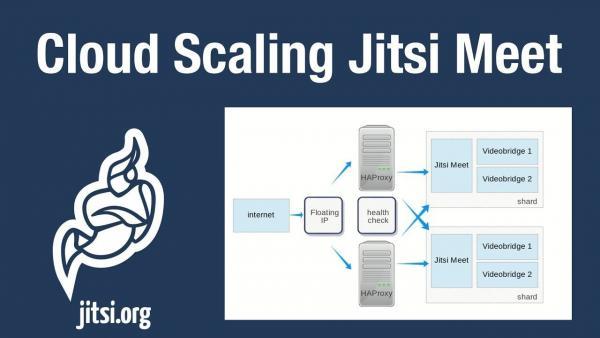
For the experts, this involves putting HAProxy in place, a Linux module that lets you configure 2 servers for redundancy, in cases where high availability is an important factor. What you should remember about Jitsi is the disruptive, innovative idea of being able to set yourself up as your own IP telco service provider, with audio and video. WebRTC technology is precisely what provides this portability and ease of use. All you need is an internet link (a meeting point) to share with the people you need to talk to. It is a bit like arranging to meet at a restaurant to have a meal together. You agree on a time, a meeting point and voilà!
For organisations concerned about their privacy, this type of solution provides a simple, elegant and effective answer. Relying on an internet standard (WebRTC) means that everyone can use it on any type of device (PC, tablet, smartphone), with a quick start and an easy learning curve. Third-party vendors such as 3CX have adopted WebRTC and the Jitsi interface for their unified communications environment. 3CX also includes VoIP phone call management and the porting of traditional phone numbers. A short promotional video:
In short, are we connected?
It is fair to say that the explosion in demand for video conferencing solutions has allowed the general public to (re)discover Jitsi and its various offshoots on the market. With this openness, the future of telecoms as we know them is likely to change radically, with better integration into everyday life and greater ease of use for everyone. It also requires the big names in telecoms and IT to adapt to these new challenges for the future.
I would like to take this opportunity to thank Claude Stabile and Free-Solutions for the explanations and the time they spent giving me the information I needed to write this article.