IT & AIInfrastructure & networking
Dockhand, Portainer or Arcane: which interface to manage Docker?
· Michel Aguilera
Read: 9 min · For the curious, no headaches
If you have a small server at home, a Raspberry Pi, or a private cloud corner, you’ve probably stacked several applications on top of it — each in its own box. These boxes are called containers. Docker is the tool that makes them and keeps them alive. Very practical… until you have to start them, update them, read their logs, or figure out why one of them crashed at 3 a.m.
The good news is that you don’t have to do everything on the command line. There are web interfaces that talk to Docker for you. I looked at three of them closely: Dockhand, Portainer , and Arcane. I’ll give you a guided tour — home lab on one side, company on the other — with a little clarity on licenses and prices.
Physical machine, virtual machine, container
Before comparing dashboards, a small detour that I often take when I am asked “but what is a container?” Three floors, one idea: run applications without mixing everything up.
- Physical machine : the computer or server “in real life”, with its disk, its memory, its system. An entire building.
- Virtual machine (VM): A simulated computer inside another. It has its own complete operating system — like renting an entire apartment, including the kitchen and bathroom, even for a single app.
- Container : a lightweight box that mainly embeds the application and what it needs, while sharing the system of the host machine. Like a furnished room in the building: isolated from the neighbors, but without rebuilding the entire building.
Why I love (and why so many people love) containers:
- they boot in seconds — no time for coffee to boot an entire OS;
- they are light : many are piled on the same machine;
- they are portable : the same box runs at home, on a Pi, or at a hosting provider.
Docker is the tool that makes and sustains these boxes. And the three interfaces I’m going to present to you — Dockhand, Portainer, Arcane — are simply dashboards: you see the containers , you click, you read the logs, you update, without having to memorize a litany of commands.
Dockhand: modern, free for the home lab, ready for the company
Let’s start with Dockhand. It’s a self-hosted tool (it runs on your premises) developed by Finsys. Their site sums it up better than I do: “Free for homelabs, ready for enterprise”. A Docker command, a default SQLite database, zero telemetry, and it even fits on a Raspberry Pi. I like this kind of sober promise.
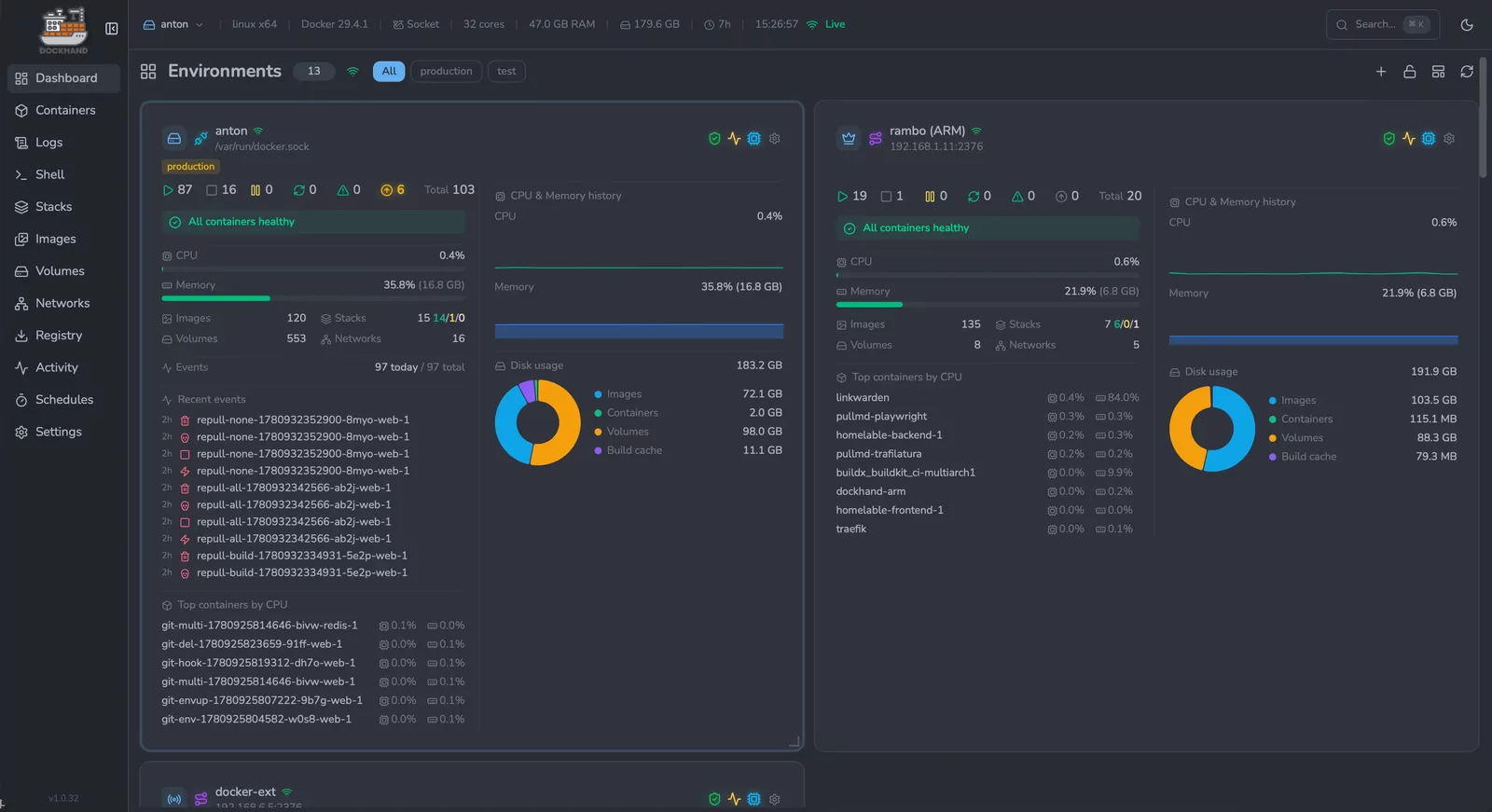
The Dockhand dashboard: CPU, memory, and live disk by environment (source: GitHub Finsys/dockhand).
What I found there, according to the repository and the official website:
- manage containers, images, networks, volumes;
- deploy Compose stacks (multiple boxes that work together), with a visual editor;
- Plug in multiple Docker hosts—local, remote, or via the Hawser agent behind a firewall.
- GitOps: deploy from a Git repository, with webhooks;
- vulnerability scanning (Grype / Trivy), backups (restic, still in beta), external secrets (Vault, 1Password, Bitwarden…);
- SSO/OIDC and MFA included in the free version.
License and costs, because it matters. Dockhand is released under the Business Source License 1.1 (BSL 1.1). In summary (their official license): free without a key for home labs, associations, education, and for development/testing even in companies. On the other hand, use in commercial production requires a paid license: SMB at $499 per host per year, Enterprise at $1,499 per host per year (LDAP/AD, RBAC, audit logs). Each version goes to Apache 2.0 four years after its release. And without a separate agreement, it cannot be offered as a SaaS service to third parties.
What I like. Recent interface, rich functions from free (SSO, scans, multi-hosts), clear positioning between home lab and company.
Which slows me down a bit. The BSL, to read carefully if you are a production company; the “serious” RBAC is reserved for Enterprise; the project is younger than Portainer (depot created at the end of 2025).
A demo in English that I find telling (Lawrence Systems — channel quoted on the Dockhand website):
Portainer: The Veteran Who Also Speaks Kubernetes
Portainer, on the other hand, has been around since 2016. It’s often the first name that comes up when we talk about “UI for Docker”. It manages Docker, but also Docker Swarm, Podman, Kubernetes and Azure ACI — all from the same console. Home lab or company, it’s regularly the one we already know.
Official Portainer visual: a platform for Docker, Kubernetes and beyond (source: portainer.io).
Two editions not to be confused — I’ll tell you right away, it avoids misunderstandings:
- Community Edition (CE): free, open source ( zlib license). Designed for home labs, learning and personal use. Their README is frank: no intention of commercial support or guarantee for business production.
- Business Edition (BE): the “pro” version. Free for 3 nodes, with no time limit (Take 3 offer). Beyond that, paid plans. It adds advanced RBAC, full GitOps, SSO / Active Directory, audit logs, fleet governance, Kubernetes provisioning, and sales support.
License and costs (sources: portainer.io/pricing and Docs Portainer, October 2026):
- Free BE: up to 3 nodes ;
- Home & Student : $155/year, up to 15 nodes, non-commercial use only;
- Starter : starting at $1,045/year (5 / 10 / 15 node options);
- Scale : Starting at $2,095/year, 9×5 support;
- Enterprise : on quote.
What I like. Maturity, broad ecosystem, Kubernetes and multi-runtime, a clear path to the enterprise, and those 3 free BE nodes to get started in earnest.
Which slows me down a little. The interface and vocabulary may seem more “enterprise” than Arcane or Dockhand; the CE is deliberately more limited; beyond 3 nodes in BE, you have to take out the chequebook.
An official intro that I recommend (Microsoft Developer, with the CEO of Portainer, about 17 minutes):
Arcane: “always free, forever” — designed for everyone
Arcane is the other face of the modern home lab. The site says it bluntly: “Always free. Forever. Never changing.” BSD-3-Clause license: you can use it, modify it, including in a commercial context, while respecting the copyright notice. No SMB tier, no key to unlock the RBAC. Frankly, this kind of promise speaks to me.
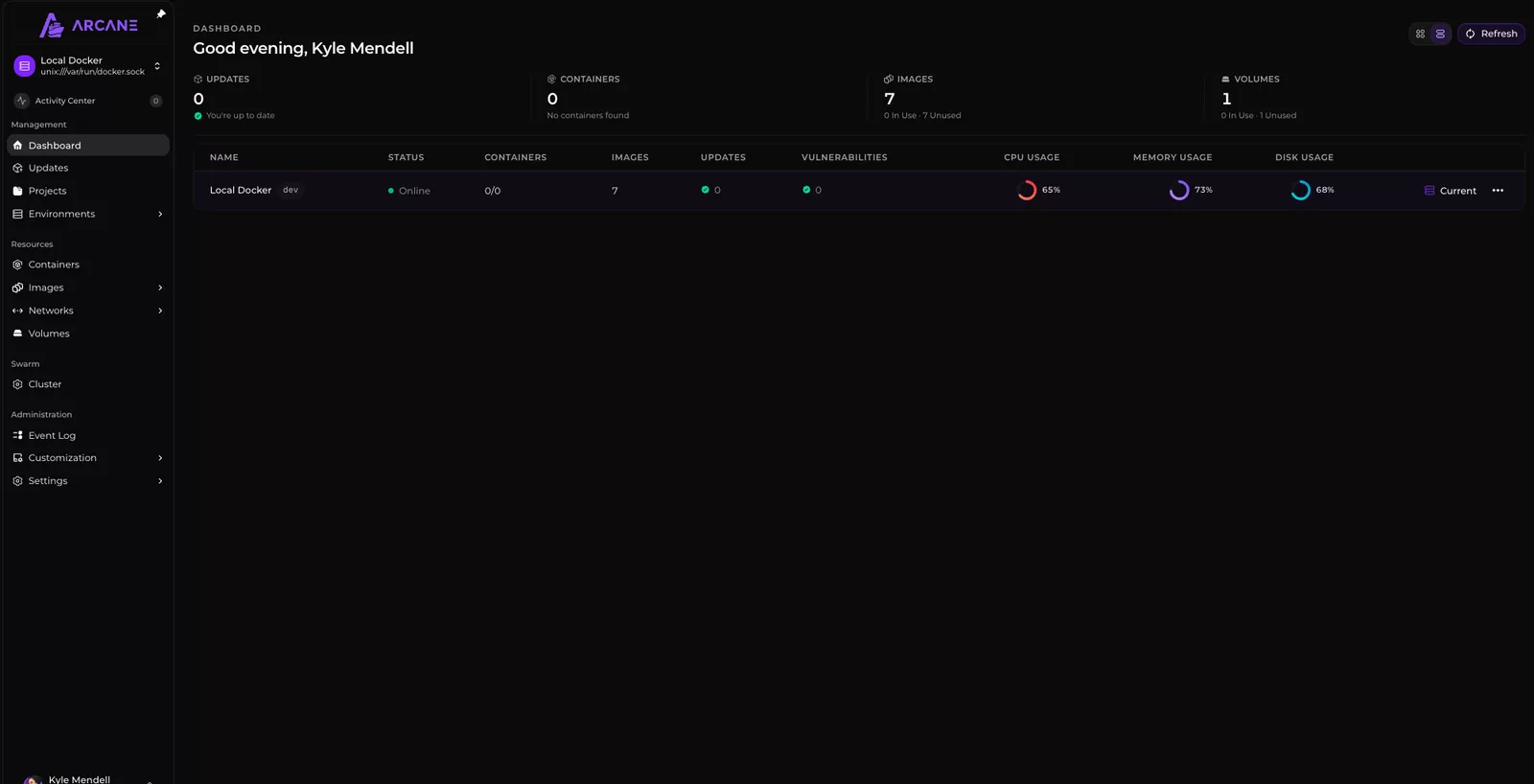
The Arcane dashboard: a clear view of your containers and resources (source: GitHub getarcaneapp/arcane).
According to their website and documentation, here’s what I see:
- Manage containers, images, networks, volumes, Compose projects.
- real-time monitoring, vulnerability scans, backups;
- remote hosts via agents, Swarm support, Podman option;
- SSO, passkeys, roles; documented REST API; mobile application mentioned in the doc;
- installation in a Compose file, neat documentation.
On GitHub, the project exceeds 8,000 stars (indicative, October 2026) — a sign of a rapid craze in the self-hosted community. Not negligible.
What I like. The long-term free, a very permissive license, a modern UX, and very complete home lab functions without a “paywall”.
Which slows me down a bit. Less oriented “large enterprise / multi-cluster Kubernetes” than Portainer; no commercial ecosystem or paid support (it’s assumed); more recent project than Portainer (created in 2025).
A detailed tutorial in English that I found useful (Christian Lempa):
The match at a glance
For those who like paintings (me first):
| Dockhand | Portainer | Arcana | |
|---|---|---|---|
| In one sentence | Modern Docker UI, free home lab / paid in pro prod | Mature Docker + Kubernetes platform | Modern Docker UI, free forever |
| License | BSL 1.1 → Apache 2.0 after 4 years | CE: zlib · BE: commercial | BSD-3-Clause |
| Home lab price | $0 | Free CE · BE 3 free nodes · Home & Student $155/year | $0 Forever |
| Company price (indicative) | $499 or $1,499 / host / year | Starter from $1,045/year · Scale from $2,095/year · Enterprise on quote | $0 (no commercial offer) |
| Multi-host | Yes (+ Agent Hawser) | Yes (Agents, Edge) | Yes (Agents) |
| Kubernetes | No (Docker focus) | Yes | No (focus Docker / Swarm / Podman) |
| SSO / MFA | Yes (free) | Yes (especially BE) | Yes |
| Advanced RBAC | Enterprise | Business Edition | Roles included (doc) |
| Stars GitHub (callout) | ~6.8k | ~38.7k | ~8.0k |
Home lab: who is doing better?
For a home lab — one or a few servers, dozens of containers, the desire to click rather than type — my first reflex today would be Arcane : everything is free, the license is not waiting for you tomorrow morning, the interface is designed for self-hosted daily life, and the community talks about it a lot.
Dockhand is not far behind, and sometimes ahead depending on your tastes: scans, external secrets, Hawser agent, free SSO… Excellent home lab choice too, provided you accept the BSL (free for personal use, which covers the typical case).
Portainer remains a very good companion, especially if you take the Business Edition on 3 free nodes (much more complete than the CE) or if you already imagine a foot in Kubernetes.
In summary, for my own home lab: Arcane as a first reflex, Dockhand as a premium free alternative, Portainer if I want the “standard” or a bridge to K8s.
Company: who has the most professional orientation?
That’s when my podium changes. Portainer is clearly cut out for the organization: Kubernetes, fleet governance, SSO/AD, audit, sales support, resellers, Starter/Scale/Enterprise formulas. It’s the tool that has an answer when the IT department asks “what about tomorrow, we industrialize?”
Dockhand can follow an SME that stays on Docker and wants compliance (LDAP, RBAC, audit) via the Enterprise edition — with a licensing model to be planned from the business production.
Arcane can run in a small company (BSD allows it), but it doesn’t present itself as an enterprise platform with support and compliance catalog. That’s not a flaw: it’s another business. And I appreciate that they take on it.
What I don’t know (yet)
Honesty obliges — I prefer to say it frankly:
- GitHub stars are moving every day; the numbers I quote are a snapshot of October 2026;
- I didn’t install the three tools side by side for this article: the functions listed come from repositories, sites and official documentation;
- the exact detail of Arcane roles (RBAC granularity) deserves a check in your own lab — and in mine, one of these days;
- Portainer and Dockhand pricing may change: their pricing pages are authentic;
- an Arcane vs Dockhand comparison video also exists (WEBdoze); it is not 100% neutral, like any creator review.
In conclusion
Three dashboards, three personalities. Arcane shines for the free and modern home lab. Dockhand appeals to the same audience, with an open door to the paid pro. Portainer dominates as soon as the company, Kubernetes or commercial support enter the dance.
The best tool, basically, is the one that matches your number of machines, your tolerance for licenses, and your desire (or not) to touch Kubernetes. Installing all three on a test machine is still the best judge — and thanks to Docker, it can be done… in a few containers. Fun, right?
I will continue to follow these tools, which are evolving quickly, to explain them to you simply. See you soon!
References
Dockhand
- Official website
- User Manual
- Conditions of licence
- Finsys/dockhand GitHub repository
- Video: Dockhand (Lawrence Systems)
Portainer
- Official website
- Prices
- Business Edition pricing FAQ
- CE vs BE (Portainer article)
- Offer 3 free nodes (Take 3)
- Features
- Portainer/portainer GitHub repository
- Video: Introduction to Portainer (Microsoft Developer)
Arcana
- Official website
- Documentation
- Installation
- getarcaneapp/arcane GitHub repository
- Video: Arcane Tutorial (Christian Lempa)
Third-party comparison (to be read with hindsight)