iPad Pro: a review of professional use on the go
· Michel Aguilera
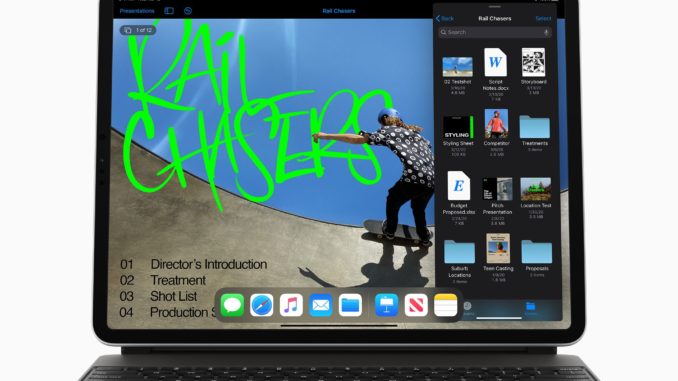
The iPad Pro is a topic that comes up regularly in the blog’s articles. In the last article covering the subject, I compared the iPad Pro of the time (2018) with Microsoft’s Surface Pro. Since then, a new iteration of the apple brand’s tablet has arrived. Have things changed? That is what we will try to address in this new article, devoted to the iPad Pro and to the new accessories and applications available. A review of the device and of its use in a professional setting.
Getting work done….on a tablet!
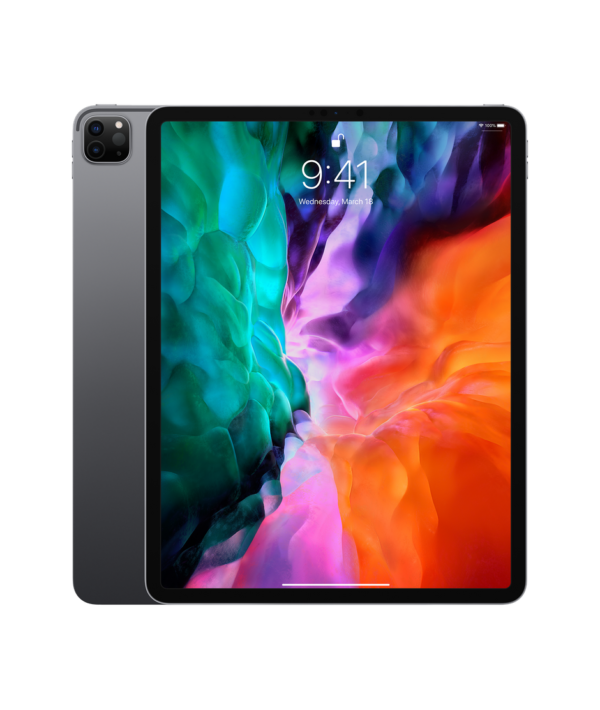
Apple has always positioned the iPad Pro as a new form of mobile computing. Not really a computer, but more than a mere tablet. Apple’s marketing communication plays on this ambiguity. Some “purists” will say that you cannot compare using an iPad Pro with a traditional PC. And that is true, because we are facing a completely different paradigm. Let us review the major “uses” that could (or could not) make the iPad Pro the machine able to replace a laptop.
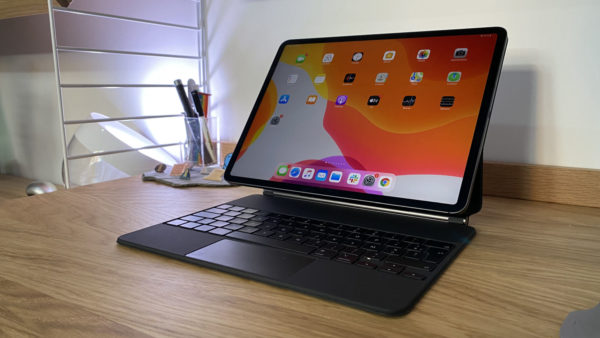
Let us start with the new (very expensive, almost 400.-) accessory, the Magic Keyboard. A real backlit keyboard, with a trackpad. Although it is an add-on, it can prove very useful for users who have to do a lot of typing. One could easily say that the Magic Keyboard is more of a dock than a cover with keyboard and trackpad. This remark comes mainly from the fact that the cover cannot be folded all the way back to slip behind the iPad Pro (as the previous cover of this kind did in 2018).
What you need to remember is that iPadOS 13.4 brings support for new pointing systems, such as external mice (Bluetooth or USB) or external trackpads. The possibilities are very varied, although not all apps take full advantage of these features yet. This is the case of the Office suite on iPadOS. On the other hand, Apple’s own “in-house” productivity apps, such as Pages, Numbers or Keynote, have been updated to support the new cursor (or pointer) system, which appears when a mouse is connected to the iPad Pro.
To get an idea of what can be done with Microsoft Office, here are a few introductory videos, made when Office 365 became available on iPad Pro (in English):
Let us get back to using the new keyboard/trackpad combo for the iPad Pro. It is important to note that it can be used with both the 2018 model and the new 2020 model (and in both iPad Pro sizes, i.e. 11 and 12.9 inches). The Smart Connector system (located on the back of the iPad) powers the accessory and auto-detects its presence, to make integration with the device easier. This accessory brings another advantage. It is fitted with a USB-C connector dedicated to charging the iPad Pro, which frees up the main connector so it can be used to plug in other peripherals. On that subject, several manufacturers have come up with products that extend connectivity to various other options, such as USB-A, card readers or an HDMI port. We are going to talk about 2 options for this type of extension. The first one is made by the firm Satechi: the USB-C Pro Hub Adapter HDMI / USB-C / USB-A:
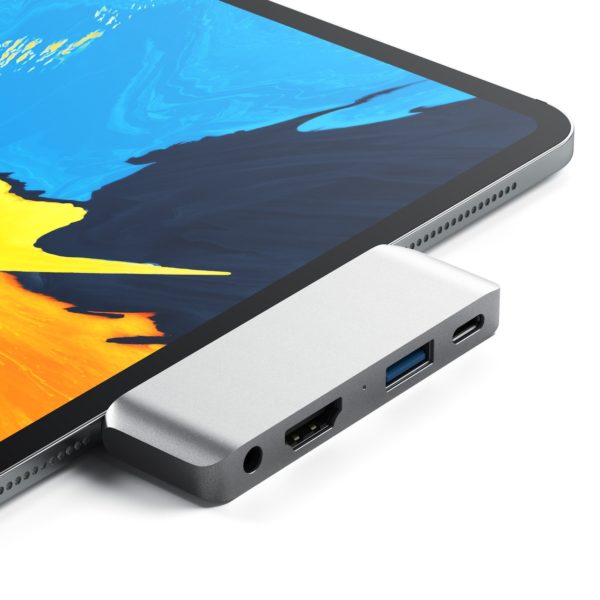
The other, more versatile component is the Kanex iAdapt. A short presentation video (in English):
iPadOS has evolved a lot and allows multitasking, with more visibility, and easily lets you have 2 app windows side by side. This feature is called Split View. For creative people, it is worth pointing out that Adobe has ported many of its tools to iPadOS, making the iPad Pro a tool perfectly suited to photo editing (via Photoshop or Lightroom).
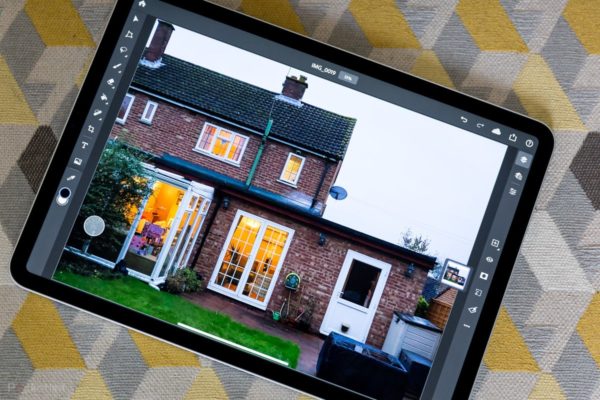
If you do not have an Adobe Creative Cloud account, there are alternative apps that let you carry on with your image editing. Here is a presentation of a few solutions (in English):
In short..can you actually work on it?
The iPad Pro (together with iPadOS 13.4 and the new mouse/trackpad interaction options) has gained flexibility and become more versatile than before. Developers will still have to make an effort to adapt their applications, but we are now dealing with a device and an environment that make it possible to consider the iPad Pro a serious alternative to the PC (or Mac) for a large number of uses. Apple has set itself a double challenge (maintaining a mobile OS and its in-house OS) for similar uses. But when the need for more substantial power is felt for more demanding tasks, a “real” computer will remain the only viable option. This divide nevertheless seems to keep shrinking. We can bet that the future of the iPad Pro will surprise its detractors yet again.