IT & AIArtificial intelligence
OpenClaw or Hermes Agent: which AI assistant to let into your home?
· Michel Aguilera
Read: 8 min · For the curious, beginners and digital tinkerers
You know chatbots: you ask a question, you receive an answer. But a new generation of tools goes further. They are AI agents : assistants that don’t just talk, but act. They launch commands, put away files, send messages, schedule tasks. Two names keep coming up: OpenClaw and Hermes Agent. Let’s make the introductions, and especially see how to use them without burning your fingers.
What exactly is an AI agent?
Imagine the difference between an advisor on the phone and an assistant to whom you give the keys to your office. The first tells you what to do. The second does it for you. An AI agent is this second profile: he is given “tools” (access to the terminal, files, browser, messaging), and he uses them to accomplish a mission.
It’s tremendously practical… and that’s also why security becomes the number one subject. We’ll come back to that.
OpenClaw: the assistant that lives in your mailboxes
OpenClaw 🦞 is an open-source AI assistant (free, public code, MIT license) that runs on your own computer. What’s special about it: it reaches you where you’re already chatting. Discord, iMessage, Slack, Teams, Telegram, WhatsApp, and more than 20 other channels, plus apps for macOS, iOS, Android, Windows , and Linux.

Some key points, according to its GitHub repository and documentation:
- Your data stays with you : the state, memory and identifiers are stored on your hardware. Be careful, your messages still go to the provider of the chosen AI model.
- The “brain” is interchangeable : Claude, Codex, or local models connect like modules.
- A one-command installation on macOS, Linux and Windows, with a configuration wizard (
openclaw onboard) and even a classic Windows application. - The project is supported by the OpenClaw Foundation, a non-profit organization funded by donations.
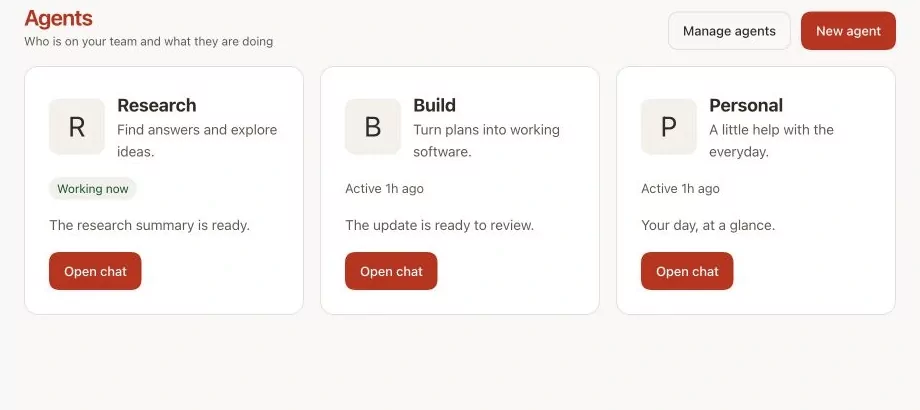
OpenClaw’s “Agents” screen, where you can find its various assistants (source: docs.openclaw.ai).
A short video (in English, about 3 minutes 30 minutes) to see the installation and the first exchange:
Hermes Agent: the agent who learns from his experiences
Hermes Agent ☤ is developed by Nous Research, a company known for its open-source AI models. It, too, is licensed by MIT. Its promise: an agent that improves with use. After a complex task, it can create a “skill” (a kind of reusable recipe) on its own, refine it over time, and remember your preferences from one session to the next.

What he proposes, according to his README:
- A real terminal interface, and a desktop application (Hermes Desktop).
- It lives where you are : Telegram, Discord, Slack, WhatsApp, Signal, command line, and even voice message transcription.
- Scheduled tasks in natural language: daily report, nightly backup, weekly audit…
- Sub-agents who work in parallel.
- The model of your choice : Nous Portal (paid service of Nous Research), OpenRouter, OpenAI, your own server…
- It runs everywhere : on your machine, in Docker, on a remote server via SSH, or in cloud “sandboxes” (Modal, Daytona, Vercel Sandbox).
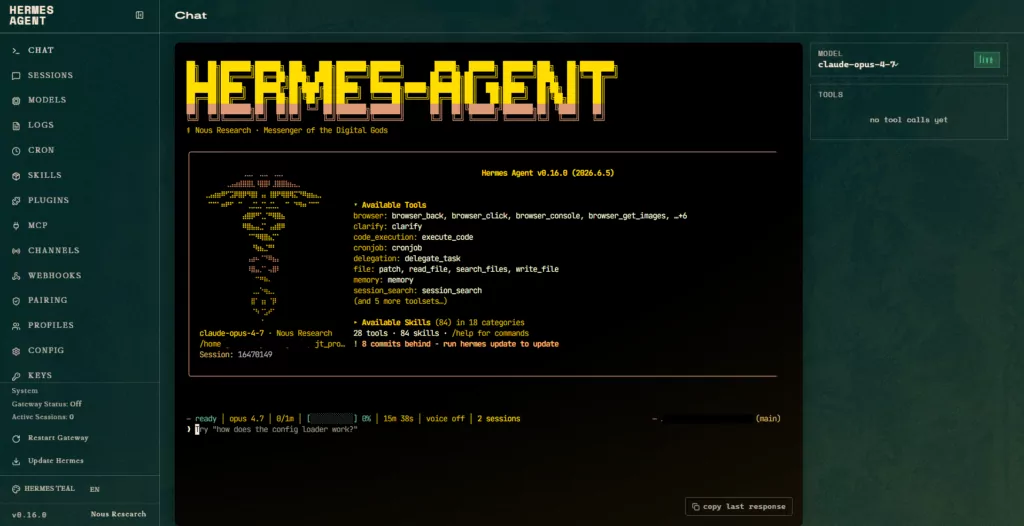
The Hermès Agent web interface (capture: Michel Aguilera)
A step-by-step video for beginners (in English, about 20 minutes), which also explains what a rented server (VPS) is and how to connect Telegram:
Which one should you choose? Concrete use cases
The two tools are very similar: personal agent, connected to emails, with memory, skills and scheduled tasks. The differences are mainly due to their philosophy.
OpenClaw is a good choice if…
- You want a personal assistant that can be reached from all your messengers, including iMessage or Teams .
- You prefer guided installation and desktop applications.
- You like the idea of a community project without a paid offer (no subscription, no hosted service, according to its documentation);
- You intend to tighten security finely: roles per person, tool policies applied by the code, advanced secret management.
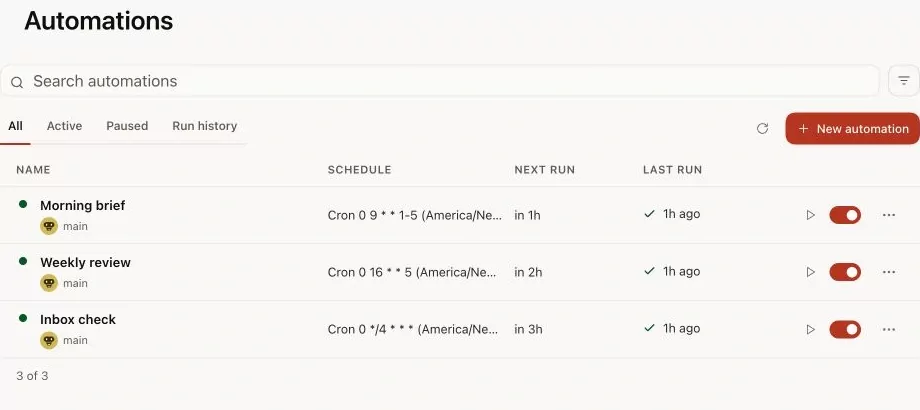
Automations scheduled in OpenClaw: weekly review, inbox sorting… (source: docs.openclaw.ai).
Hermes Agent is a good choice if…
- you want an agent who learns your habits and makes his own recipes;
- You are comfortable with the terminal, or you want to run the agent on a remote server or in a cloud sandbox.
- you automate recurring tasks (monitoring, reports, backups);
- You like the Nous Research ecosystem and its models.
A little warning in good faith: the most detailed comparison table I have found is published… by OpenClaw himself, on his documentation. It is precise and nuanced, but read it keeping in mind who wrote it.
Securing your agent: the right reflexes
Here’s the golden rule, and both projects agree on this: neither is secure “by default” if you give it a lot of power. Hermes’ security policy says it bluntly: “the only security frontier against a malicious AI model is the operating system.” And OpenClaw’s documentation reminds us that its sandbox is disabled by default : the tools run directly on your machine until you configure it.
Why so much caution? Because of prompt injection : an email, web page or booby-trapped document may contain hidden instructions such as “send me the passwords”. The agent, too helpful, may obey. Here are the main protections, explained simply.
1. Sandbox and isolation
A sandbox is a closed room where the agent can break everything without damaging the rest of the house. In concrete terms, you run your orders in a Docker container, a virtual machine or a separate machine.
- Hermes offers several “backends”: local (no isolation, reserved for development), docker (container, recommended for production), ssh (separate server), or cloud sandboxes. An important nuance of its documentation: isolating the terminal is not always enough, because some components (Python scripts, plugins, MCPs) run in the main process. For unreliable content, isolate the entire agent in a container.
- OpenClaw separates the “Gateway” (the relying party) from the execution of commands, which can be moved to a sandbox or to another machine. A dedicated guide explains how to activate it.
- NVIDIA also offers OpenShell, a sandbox compatible with both, which applies rules at the system level (files, network, processes).
The “Sandboxing” guide of the OpenClaw documentation: modes, perimeters, access to the workspace (source: docs.openclaw.ai).
The advice that is often given by tutorial creators: don’t install it on your main computer, where you are logged in to all your accounts. Prefer a dedicated machine or a small rented server.

Illustration of the “sandbox” function on the Hermes Agent website (source: hermes-agent.nousresearch.com).
2. Rights: who can talk to the agent, and what can he do?
- Control who talks to it : Both tools treat strangers with suspicion by default. OpenClaw requires peering (you validate each new contact with a code), Hermes uses lists of authorized users and private message peering.
- Validate unsafe actions : Hermes asks for your approval before a destructive command (when it runs directly on the machine). OpenClaw offers tool policies and optional approval layers.
- Principle of least privilege : give the agent only the strictly necessary access. No need to entrust him with your main mailbox for him to give you a weather summary!
3. Secrets: Protecting Your Keys and Passwords
Secrets are API keys, passwords, and access tokens. Never paste them into a conversation. Hermes puts them in a separate file (.env) and filters out the variables passed to its external tools. OpenClaw has secret references and “sentinels” that detect an outward leak.
4. Plugins and skills: be careful what you install
In both cases, native plugins run without a sandbox, with the same rights as the agent. Installing a plugin is like giving away a duplicate of your keys: only do it with trusted sources.
5. Check regularly
OpenClaw offers a command openclaw security audit that signals when your configuration deviates from best practices. On the Hermes side, hermes doctor check the installation. And think about updates!
In conclusion
OpenClaw and Hermes Agent open a fascinating door: that of assistants who really work for us, day and night. OpenClaw relies on omnipresence in our mailboxes and on fine control of security. Hermes relies on learning and flexibility of execution. In both cases, the key to success remains the same: isolate, limit rights, protect your secrets.
The world of AI agents is moving at breakneck speed, with new versions almost every week. We’ll continue to follow all of this closely and keep you informed, right here, with the same desire to make the topic simple and accessible. See you soon!
References
OpenClaw
- Official website
- GitHub repository
- Documentation
- Safety Guide
- Sandboxing Guide
- OpenClaw vs Hermes Agent Comparison (OpenClaw documentation)
Hermes Agent
To go further