Crayonic, or how version 2 of the KeyVault has changed
· Michel Aguilera
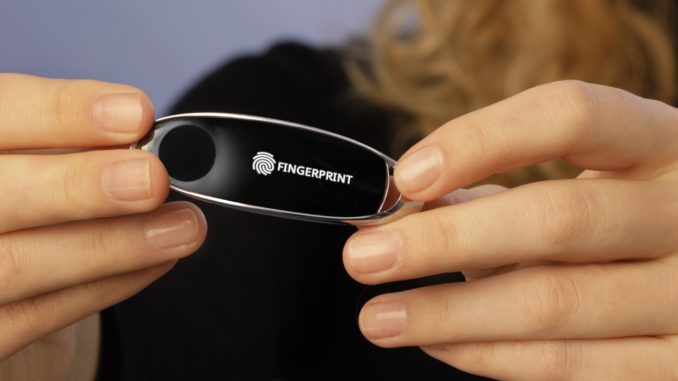
Having had the opportunity to write about the company Crayonic in a previous article, we were able to discover the changes the company has made to the KeyVault, its flagship product in the field of identity security. A review of the changes made and a discussion with Peter Kolarov, founder of the company.
The key… that paves the way!
Since our first contact with Pavol Schmitzer, a lot has changed. First of all, the production of the KeyVault has been industrialised (it comes in sleek, very classy packaging): 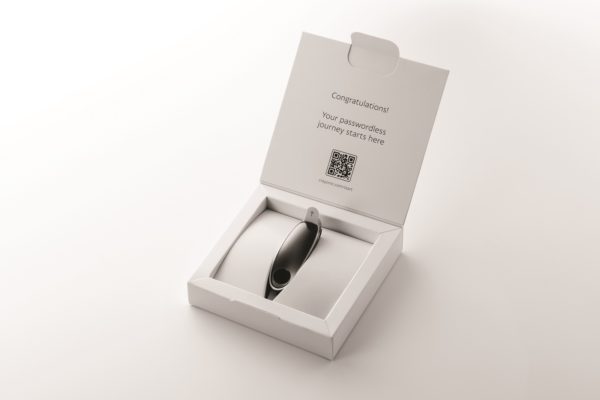 Inside, we discover the device, all in polished steel and with a very discreet screen for viewing information. We also discover the fingerprint reader at one end. By scanning the QR Code in the packaging, you are taken straight into setting up the key, with a first fingerprint enrolment to protect access to the settings. Easy to do! You can also use a PIN Code to complete the protection:
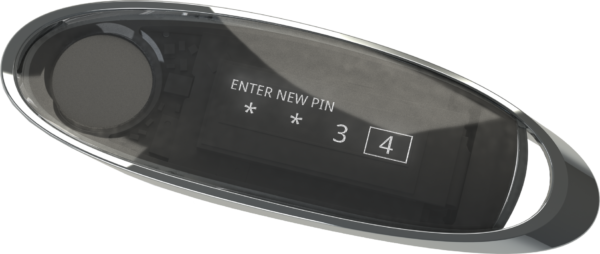
To get an idea of how it works in various environments supporting FIDO2, here is an introduction in pictures:
You can find the details of the hardware at this link.
Here is a video of the unboxing and of the setup experience:
What stands out above all in the everyday use of KeyVault is that you can easily do without passwords in the vast majority of cases. And since using it requires no installation of drivers or other software components, it feels even more natural to use.
Elegant, with a refined look, its resolutely futuristic side clearly makes it stand out from the other offerings on the current market and from the members of the FIDO Alliance.
Its integration with systems such as Windows 10 or 11, as well as with the various security portals or applications supporting multi-factor authentication, makes the KeyVault a solution in a class of its own.
And among the new features is the upcoming launch of a management gateway (either as a service or on premise) to manage your keys and link the various authentication services. Short video on registering a key:
As you can see, it is very simple. To discuss all the changes and improvements, here is an exclusive video with the CEO of Crayonic, Peter Kolarov. We were able to meet and discuss identity security and KeyVault:
In short, is it still just as “cool”?
Yes, it’s fair to say: this is a very special product, with a “Smart Security Device” approach, packed with possibilities and just waiting to be challenged with advanced use cases. We bet the future will prove exciting for Crayonic. For my part, I use it in combination with AAD and with the Bitwarden password manager (and who knows, perhaps with other solutions in the future).