IT & AIInfrastructure & networking
Monitoring: tools to supervise our infrastructures and applications
· Michel Aguilera
Infrastructures and application environments keep getting more complex. This means keeping an eye on everything and making sure we can easily automate responses in the event of failures. In this article, we will try to look at a few solutions that provide this global view of all our components, whether physical or cloud. A review of the trendy products.
An eye….on everything!
Infrastructure monitoring, or supervision, consists of checking that the IT solutions of a business or operational environment are working properly. To carry out this kind of monitoring, there are standards in the IT world (both in network protocols and within operating systems). These standards allow us to collect usage data in real time and to notify administrators of the overall status. We then establish automatic rules to fix known or recurring problems, in order to make centralised management easier.
First of all, you need to understand how supervision actions are defined on the source elements (that is, on machines or applications). Each element to be monitored is accessible through a protocol (for example SNMP or WMI) and through identity management with administrative rights (also called an administration profile). For example, SNMP, through a defined exchange, makes it possible either to read a status or to interact with the object being supervised.
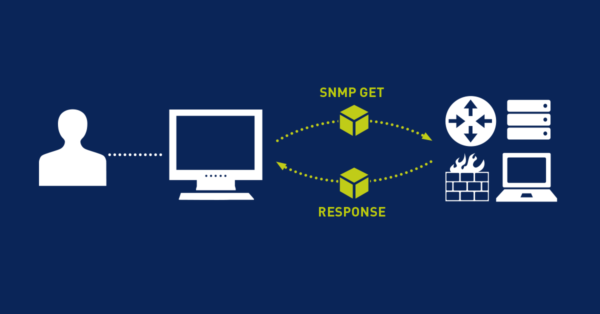
These network protocols dedicated to monitoring should be seen as ways of accessing information about operating status. For example, if a machine is no longer present on the network (or considered switched off), we will try to test its presence (PING and ICMP response) and, depending on the result, report the situation to the environment’s administrator. We can also query Windows through WMI and ask it, with the right user and the necessary rights, to tell us whether a given application or service is running or stopped. All these situations can be applied and checked by various means (protocols) or by installing agents (small, specific monitoring programs), which will relay information either in real time or at scheduled times.
There are many tools in this field. Various sites list these tools, for example: https://www.monitoring-fr.org Let us start with a series of tools. The first one is PRTG. Paessler, the company behind this solution, has developed a monitoring platform that runs on Windows. Through standard administration protocols, it can manage physical components as well as applications of all kinds.
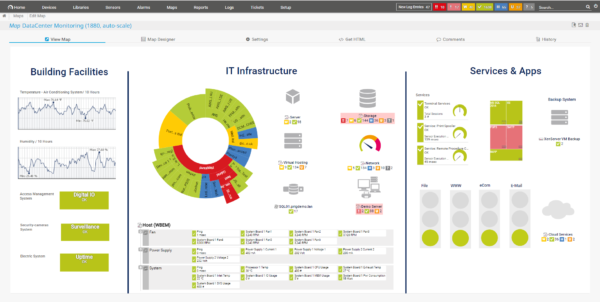
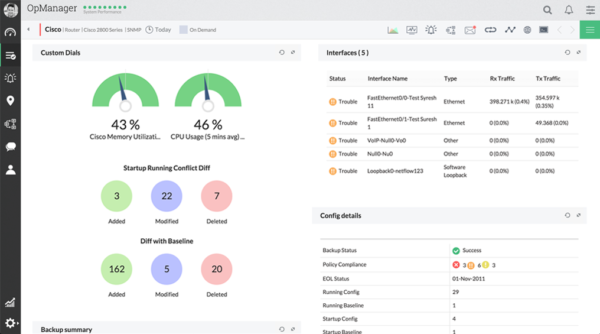
In the same vein on Windows Server, there is also ManageEngine OpManager. The product comes in various editions (free for the basic module, and paid editions for extended support, with additional features).
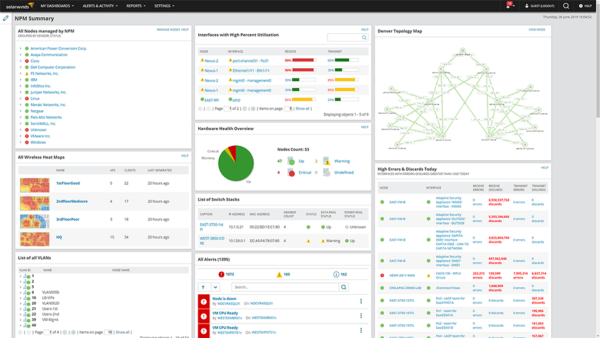
Also very popular, the SolarWinds solutions offer very advanced monitoring management, with interfaces packed with indicators.
Introduction video (in English):
The main drawback of these solutions is that you have to dedicate a Windows server to the monitoring task (which can be considered a heavyweight solution, depending on the environment). This leads us to use or consider products that can run in containerisation systems.
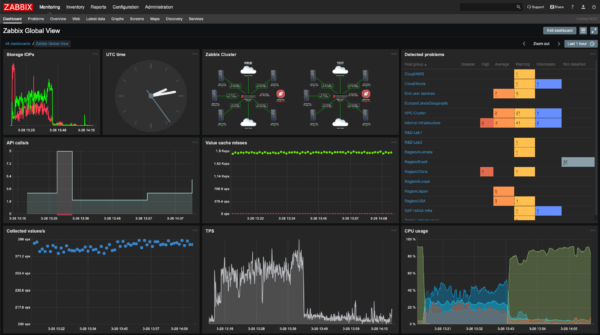
Let us move on to a solution that can run on Linux: here is Zabbix, web-based administration that can carry out network scans to discover the elements to supervise, with the added possibility of connecting to APIs to analyse how applications are running (on premise or SaaS). Here is a video on setting it up in an LXC:
As you can see, the initial setup can be done very quickly and allows centralised management of the solutions.
There are a great many options in the open source world. To name a few: Nagios, NetData (these two are Linux-based and can run in a container, like Zabbix). There is also ZenOss, or Centreon, which also comes with commercial offerings.
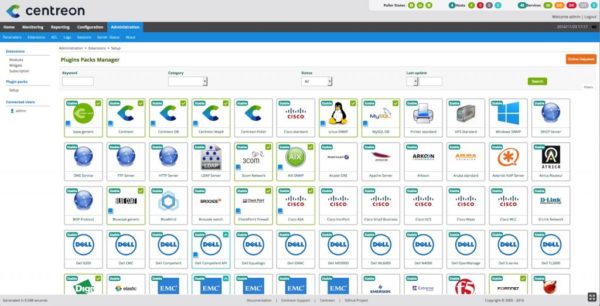
The configuration work is more substantial, depending on the complexity of the infrastructure to be supervised or the management rules you want to put in place. It is recommended to plan and define the management principles before choosing the appropriate tool and starting to set it up.
In some cases, it may also be necessary to use several monitoring tools to cover all operational cases. And this can sometimes lead to losing control of the whole. At that point, you need to rely on what are called information aggregators for monitoring.
That is the mission of a solution such as Grafana.
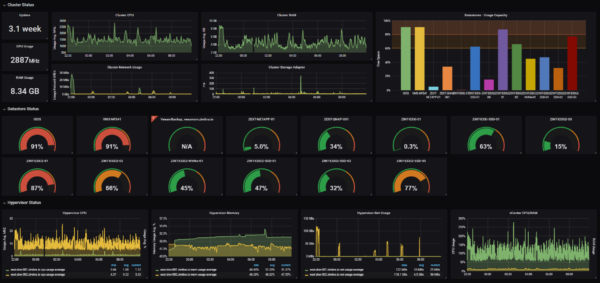
Able to handle various data sources simultaneously, analyse them and create rich dashboards, Grafana can also automate troubleshooting processes or provide advanced notifications for administrators. Here is the video of their 2019 conference, which shows how to use the console and create dashboards in Grafana:
In short…is everything under control?
As you have seen, the number of existing products is quite substantial. The difficulty in finding your way through the jungle of available solutions is having a very precise idea of what you need to supervise, how much time you can devote to it and how you want to automate recovery processes in the event of a failure of your systems. This is called a disaster plan or DRP (Disaster Recovery Plan). It is important to rely on monitoring tools to become more responsive and identify problems quickly. Analysing your needs requires relying on industry professionals, who will be able to understand and analyse your situation and suggest the right alternatives.