iPad Pro 10.5: What’s new?
· Michel Aguilera
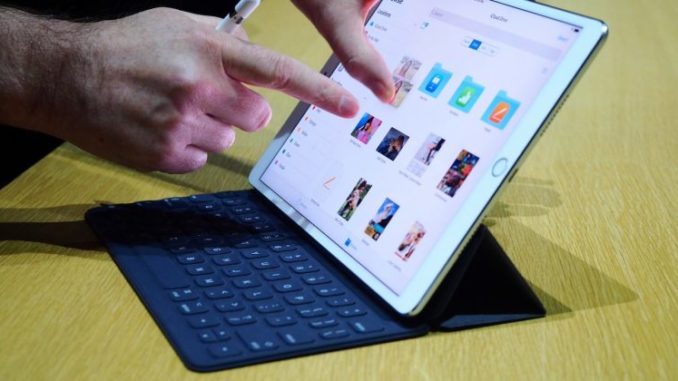
Having worked with iPads for almost 6 years, I have often sung the praises of what the device can do. Whether in the private or the professional sector, Apple’s tablet has evolved. As the 10.5-inch version is the subject of today’s article, we are going to see whether it still deserves to be called a pro tool and whether the changes made are a real feat… or not!
Once an iPad user… always an iPad user!
I have already described at length in the past the possibilities of using an iPad in a professional context. So I will not go back over the device’s capabilities, which remain unchanged in this respect.
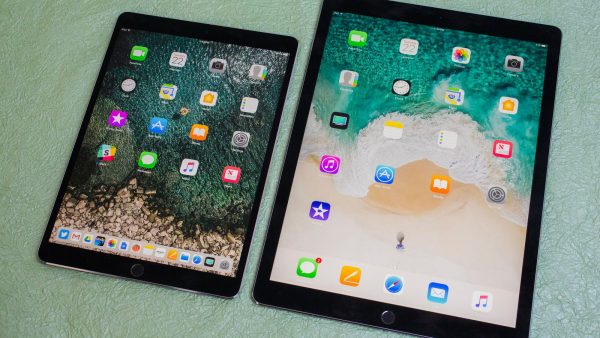
Inside the tablet, we find an Apple A10X Fusion chip, a beefed-up version of the A10 Fusion used in the iPhone 7, with a 6-core architecture (3 cores for performance, 3 others for basic tasks) and 4 GB of RAM. The storage options move upwards: 64, 256 and 512 GB. A new IPS touchscreen panel in 3:2 format, with a brand-new size of 10.5 inches (26.7 cm diagonal) and a resolution of 2,224 x 1,668 px.
A display that also introduces 120 Hz, christened ProMotion for the occasion. The back features a camera with a 12 MP sensor and optical stabilisation, while the front sports a 7 MP camera. Just one regret in the design: the lens sticks out from the back of the iPad. The mini-jack socket is still there, and wired data transfer and charging go through the proprietary Lightning port, now USB 3.0 compatible. Wireless connectivity relies on Wi-Fi a/b/g/n/ac, NFC, Bluetooth 4.2 and GPS + GLONASS.
So the iPad Pro 10.5 has a 120 Hz screen, which brings real smoothness to animations, but above all greater precision when using the Apple Pencil. This may seem like a minor change, but when you are making drawings or diagrams, the difference is noticeable. Colour rendering has also been improved, which is especially visible in the blacks when viewing photos or videos.
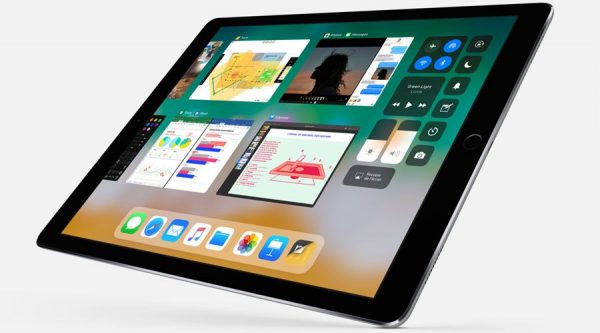
The real differentiator lies in how smoothly it runs iOS 11. This iPad was tailor-made to properly exploit all the features and power of this version of iOS. Copy-and-paste handling, multi-window support for running several apps simultaneously. In short, a whole new level of comfort that truly earns the iPad the “Pro” label. With this new screen diagonal, the quality of your work improves.
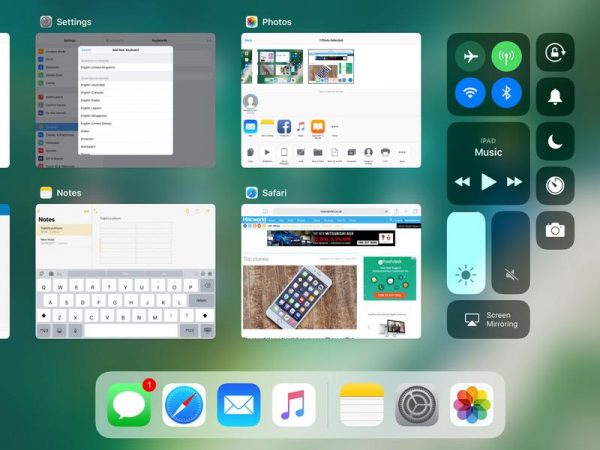
Thanks to drag and drop, you can now display a second app simply by dragging it to one side of the screen. In the multitasking mode, which you open by swiping from the bottom to the top of the screen, you now also find the Control Centre. Basically, this screen brings together all the basic settings (brightness, volume, aeroplane mode, torch…).
So, can we talk about a tool that can replace the PC or the Mac? No, because the use is not the same. But for quite a lot of tasks, the iPad could become (depending on how we use our IT tools) a perfect companion that could eventually replace a computer. I have already given my views on this in my previous articles.
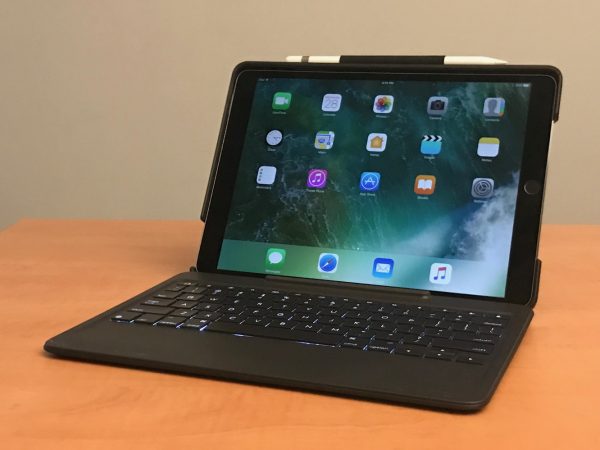
The accessories that go with the iPad, such as the keyboard Cover and the Pencil, are still part of the package. For the former, just a size adjustment; no changes for the Pencil. Having been able to test Apple’s Cover, I find the typing comfort is not the greatest; I prefer (by far!) the one from Logitech.
With its protective case and backlit keyboard, you get a keyboard close to a Mac’s, including certain shortcut keys.
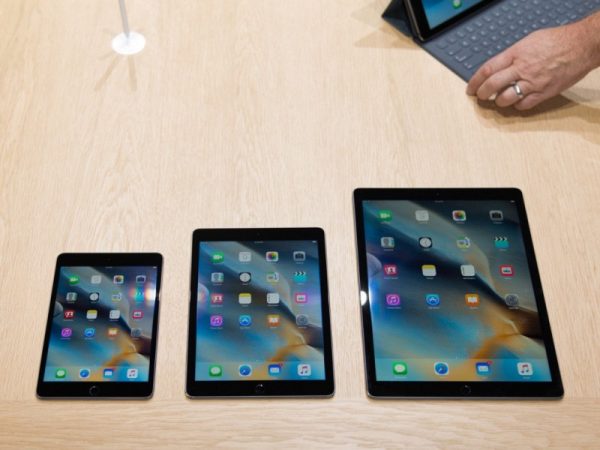
With the release of this new screen format, one question arises: which size is right for me? Which one should I choose? To try to answer this thorny question, here is a video that addresses the issue quite clearly:
One more short video, with a test of everyday use:
And here is the video of the Keynote launching the 10.5-inch iPad Pro:
In short: should you switch to the new iPad Pro?
The answer will depend on which iPad you are coming from, or whether you are about to buy your first tablet. Once again, depending on your use, you will need to choose the right screen size. As I write these lines, Apple has sent out invitations for a Keynote on 27 March 2018.
We can bet that new announcements may once again change the game in the agonising choice some will face for their purchase. There is talk of integrating Face ID (to replace Touch ID), thus offering a larger display, the iPhone X processor, namely the A11 (perhaps even an A11X), possibly a new generation of Pencil and other improvements. Wait & See!