Windows 11: Microsoft’s new release
· Michel Aguilera
Microsoft has announced it: Windows 11 is coming soon. And yet the idea had been to stick with an evolutionary approach to Windows 10, without changing the version number. But as the competition (Apple in this case) has also gone back on that stance, let’s see how Microsoft has changed the game with this new edition of its OS. Let’s take a look.
A new Windows… or not!
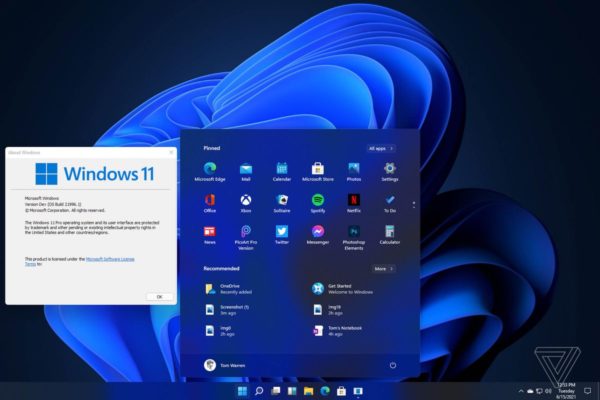
Let’s not kid ourselves: the arrival of a new OS always raises expectations higher and higher in terms of innovation and design. We recently saw Apple offer, with MacOS Monterey, a relatively timid update in terms of new options. No revolution in the visual aspect that would necessarily make you want to carry out a drastic update. On this last point, Microsoft has made a change that is somewhat reminiscent of Apple’s Dock Bar, now placing the Start button….in the centre! And as far as aesthetics are concerned, there is theme management, with downloadable themes to customise the overall look of Windows, including support for a Dark mode. Windows 11 launch video:
Besides this (slight) modification, it is worth noting that the icons and sounds of Windows have been reworked to give a consistent and pleasant look. The other notable point is how quickly windows or applications launch. You can see that the system has been reworked to take more advantage of recent PC hardware. It is more of an improvement on Windows 10 than a radical change of operating system. As for the technical specifications, here is what is required to run Windows 11 properly:
- You must have 12 GB of space available on your Hard Drive.
- Have at least 1.10 GB of RAM or more.
- Additionally have 60 MB of video RAM
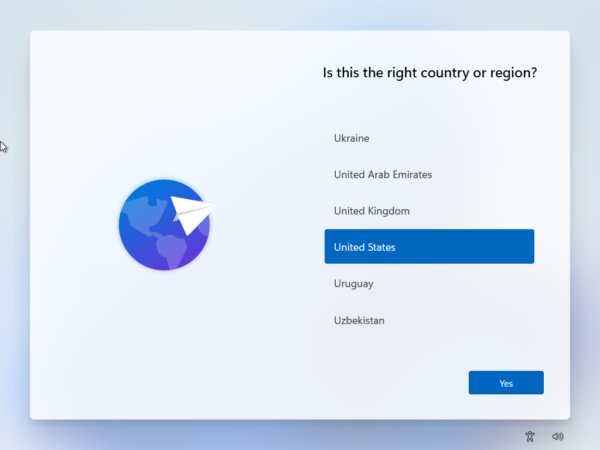
In short, not that different from Windows 10 for standard use. During the Windows installation, you get a rather pleasant and very stylish experience (OOBE):
The startup screen is fairly similar, with a flatter Windows logo and a slightly different shade of blue. One of the other changes we noticed is a significant improvement in the machine’s performance: faster startup, multimedia access and optimised graphics processing. Here is a chart of measurements taken on one configuration, comparing the latest version of Windows 10 and the developer version of Windows 11:
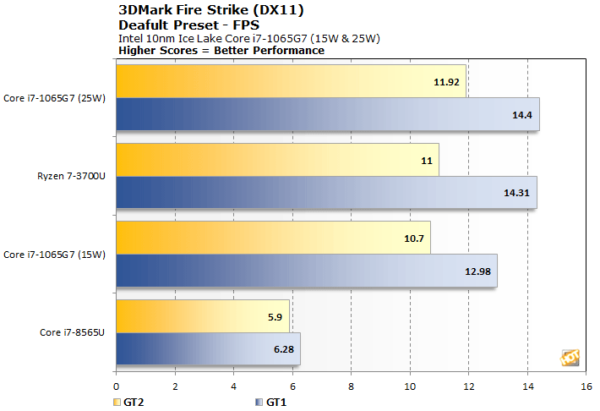
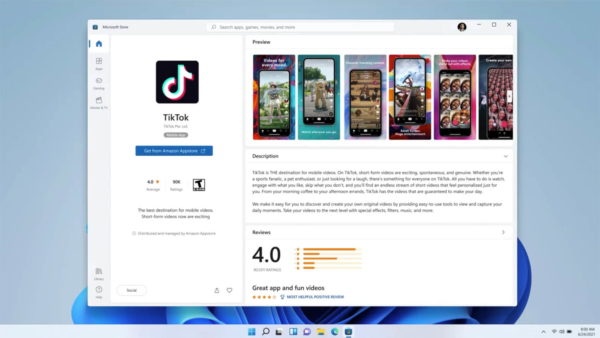
Will this make a difference that justifies changing OS? Perhaps not immediately, since Windows 10 has become more stable in recent years, with ever greater attention to security but also to centralised management. Regarding security, there are no major visible changes for now; the approach remains similar to what Windows 10 had accustomed us to. The Windows Hello options are still there, with the same possibilities as on Windows 10. One of the big new features will most certainly be this move closer to the Android world and the ability to install Apps from the Microsoft Store.
Here is a video I made with the developer version, in a virtual machine:
And an interview conducted by Joanna Stern of the Wall Street Journal:
All in all, a revolution?
It is still too early to talk about a revolution but, at the very least, about an evolution, both in terms of performance (it is quite striking, especially knowing that this is a developer version) and the look of the interface. Admittedly, we have not yet been able to test the much-talked-about Android Apps approach via the Microsoft Store. But we bet it will be a success. The fact that Microsoft offers access to its Store platform without taking commissions (unlike Apple and its 30%) should bring a new community of users to this new version of the Redmond system.