Managing your digital identification
· Michel Aguilera
With all the risks we see growing in number in the use of information systems, it has become essential to strengthen your digital identification on your various devices. Whether on a computer, tablet or smartphone, the use of biometrics and two-factor authentication is becoming unavoidable. A look at an innovative approach to your own digital security.
My own personal security!
Depending on the operating system, security takes various forms. If we look at Windows, Microsoft has developed Windows Hello, which brings together several authentication methods for signing in.
For now, Apple does not seem interested in FIDO as an identification method (Tim Cook presented “Login with Apple” as the solution to the password problem; moreover, he did not even mention the FIDO2 or WebAuthn web standards).
Video presenting the use of the Apple ID, during the 2019 developer conference:
Here is another video (more entertaining, and in English) giving a more general explanation of how the Apple ID service works:
The combined use of biometrics and encryption, plus specific features such as FIDO, for certain additional devices.
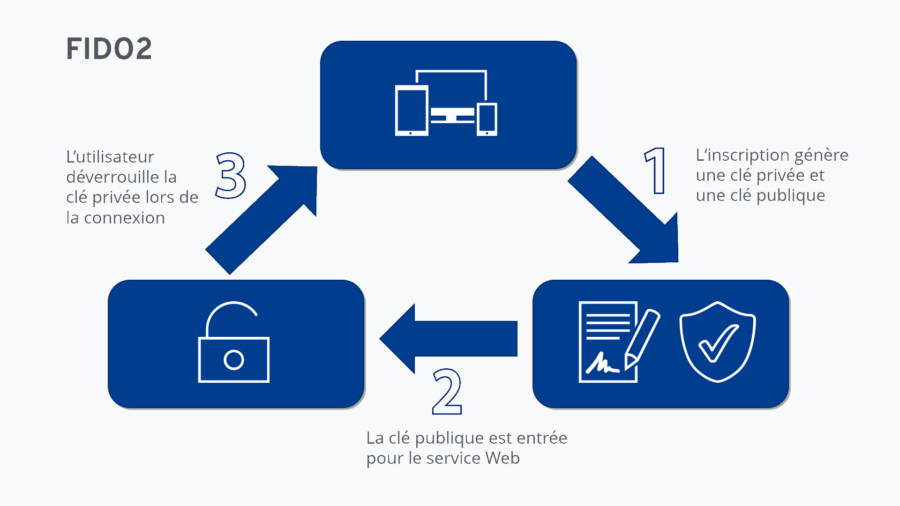
FIDO2 finally makes the dream of a secure yet password-free login come true. Normally, a simple gesture, i.e. pressing an illuminated button, placing your finger or looking into the camera, is enough to confirm: “Yes, I want to sign in there” - the rest is done by little helpers behind the scenes.
The abbreviation stands for Fast IDentity Online. Under this banner, Google, Microsoft, Facebook, Amazon, PayPal, Visa and Mastercard, among others, are working together on the successor to the password. Since March 2019, it has been settled: together with the World Wide Web Consortium (W3C), they announced “a web standard for secure, password-free logins”. This meant FIDO2 with its internet component WebAuthn (identifying someone via their web browser).
This is done by means of a physical security key. You can connect this personal security key to your PC or smartphone via USB, NFC or Bluetooth for your internet identity, and also use it on several devices. FIDO2 combines three highly desirable features of a login. First: it is very convenient.
Nothing beats pressing a button or looking into the camera. Second, it is very secure. With passwords gone, all the associated problems disappear. Millions of identity thefts due to server intrusions or to Trojans and phishing also become a thing of the past with FIDO2/U2F.
One firm offers various types of solutions for managing identification: Feitian. To show what these systems can do, here is a short introductory video:
I had the pleasure of receiving a box from them, containing various products.
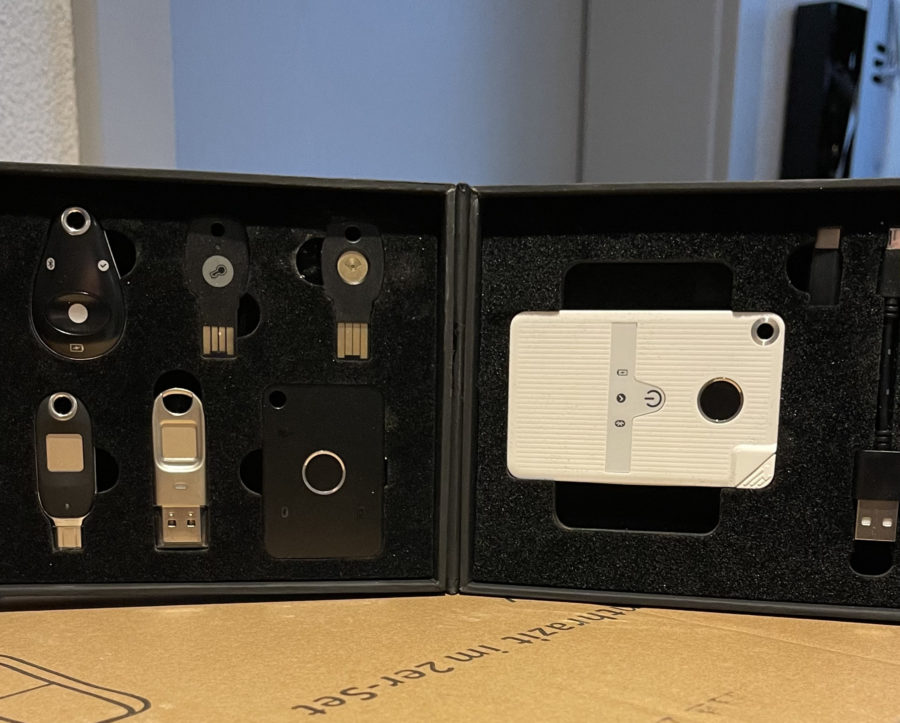
The principle of these keys is to store sensitive information and protect it when used in an IT environment. For example, when accessing a website. These keys can also be used on machines on which you do not want to leave any trace of your identity (internet café or elsewhere). Here is a short video illustrating how the keys are used:
And the rest here:
In short…it’s secure!
The FIDO2 system and solutions such as FEITIAN provide a suitable answer to security and privacy questions. When you are concerned about protecting your digital identification, precautions are essential, especially on devices that cannot be guaranteed to always be fully secure. The use of multiple authentication factors, combined with biometrics, ensures much better security and guarantees access to our data online or on our computers.