Smart devices & lifestyleSmart home
Security: video surveillance with Unifi
· Michel Aguilera
In our previous article, we briefly talked about Unifi surveillance cameras. Here we are going to go deeper into the subject, with some information about these cameras and the quality you can expect. A look back at the Unifi video surveillance system and a focus on the possible management methods.
I’ve got my eye on you!
Ubiquiti Networks is an American manufacturer of high-performance network components. Unifi is a product range from the Ubiquiti company that offers various IP camera surveillance solutions. Among these solutions, you can find several camera ranges. They all come with PoE support and they can all be used indoors as well as outdoors.
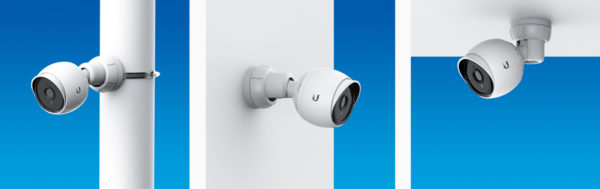
All the cameras come with a mounting system and, for some, adapters of all kinds, allowing installation in various places or on various supports (pillars, walls, corners, etc.). More information in this document.
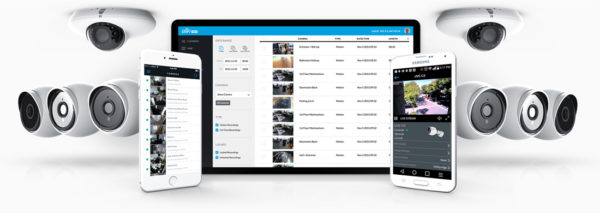
Unifi cameras offer Full HD 1080p resolution day and night (for the G3 ranges). The G4 offer native 4K support (but the price is considerably higher). You can find Bullet-type cameras, domes (with manual PTZ support) and the Flex models:
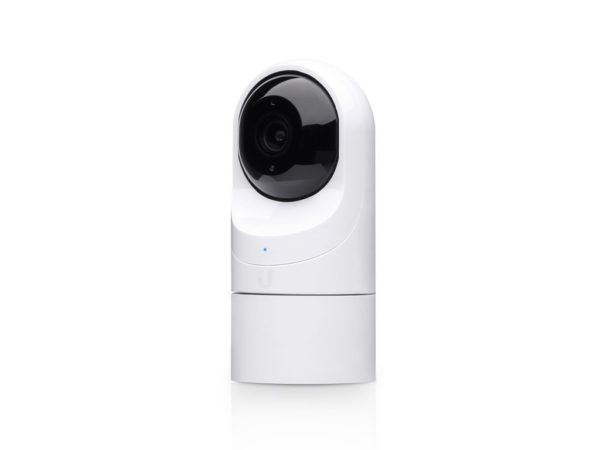
The G3 Flex has a wide-angle lens (like the dome cameras), which allows wider coverage. A short unboxing video of the Dome model:
and here, a video for the Flex model:
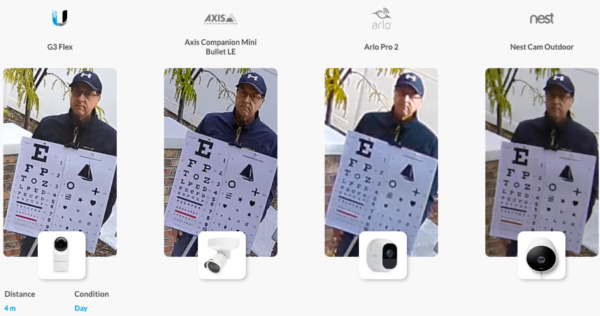
It is important to note that the image quality of Unifi cameras is considered one of the best, taking value for money into account:
The various camera streams can be managed in several ways. The one proposed by Ubiquiti is to use the Cloud Key Gen2 solution:
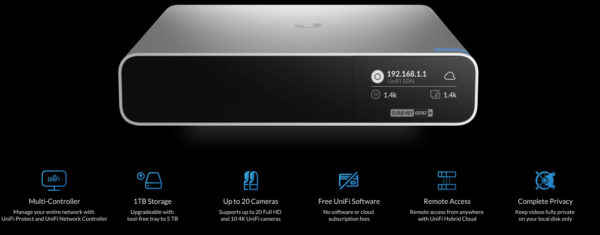
Able to support up to 20 HD cameras (or 10 in 4K), with 1 TB of storage (upgradable to 5TB), it is a compact system that integrates fully with the rest of the Unifi solutions. Although it is marketed as a “cloud” key, this key simply gives the user remote access without the need to connect their network infrastructure hardware to the cloud. The idea is simple: install a Cloud Key in your network and any administrator can go to unifi.ui.com to access their networks from anywhere, while keeping their own hardware and without needing to take out any subscriptions.
Unboxing video:
Note that this box can be rack-mounted with a special adapter.
Management can be carried out through a platform called Unifi Protect. This platform is an integral part of the Cloud Key Gen2 and, as explained above, can be used on the local network or with shared access via the link provided by Ubiquiti. UniFi Protect was designed entirely from scratch with a focus on user experience. The idea was to develop something that could run on a small hardware footprint, offering a low initial investment while providing the convenience of remote connectivity of cloud systems.
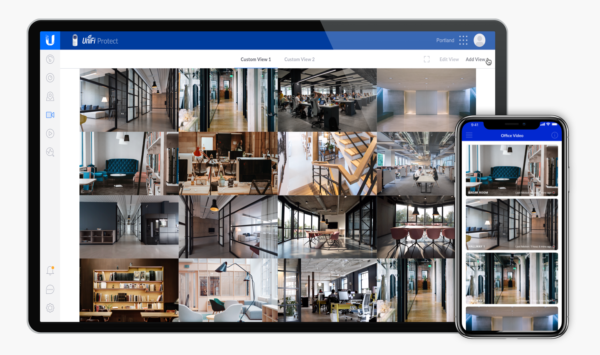
It should also be noted that the cameras can be accessed via a web browser or via the Unifi Protect mobile apps (available on iOS and Android).
If you have a NAS on your network (e.g. Synology), you can use the cameras with the Surveillance Station system (note that the first 2 cameras are free, after which you will need a licence). This can be useful if you have several camera brands on your network. If you only have Unifi cameras but don’t want to invest in a Cloud Key Gen2, there is an alternative: installing a Docker container on your NAS.
Here is the procedure in this video (in English):
In short… is the picture sharp?
Of all the video surveillance systems tested, the Unifi Protect solution and the cameras on offer are by far the best, with the ability to work both indoors and outdoors, very competitive entry-level prices and easy integration with other video recording systems, notably thanks to native support for the ONVIF system.
This last point makes it very easy to add these cameras to Synology systems or other smart storage solutions.